Screenshot could not load
banner-slider-one-6aab8f2787ad39.26654390.png



Analyze market direction with Redbaaz Flip. A custom MT4 & MT5 indicator combining multi-timeframe trend analysis, momentum confirmation, and clear White/Pink flip arrows.
Get installation and usage guidance for your selected trading tool.
Designed for users who need rule-based software, analysis tools, or platform support.
Use proper lot size, broker settings, and money management before trading.
Contact support if you need product setup or basic guidance.
Product information managed from admin product description.
Redbaaz Flip is a market analysis tool for the desktop versions of MetaTrader 4 and MetaTrader 5. It combines M1 and M15 moving-average trend analysis with M15 momentum confirmation to help traders interpret market direction.
Key Features
• Multi-Timeframe Analysis: Compares trend conditions across M1 and M15.
• Momentum Confirmation: Uses M15 momentum readings as an additional analysis filter.
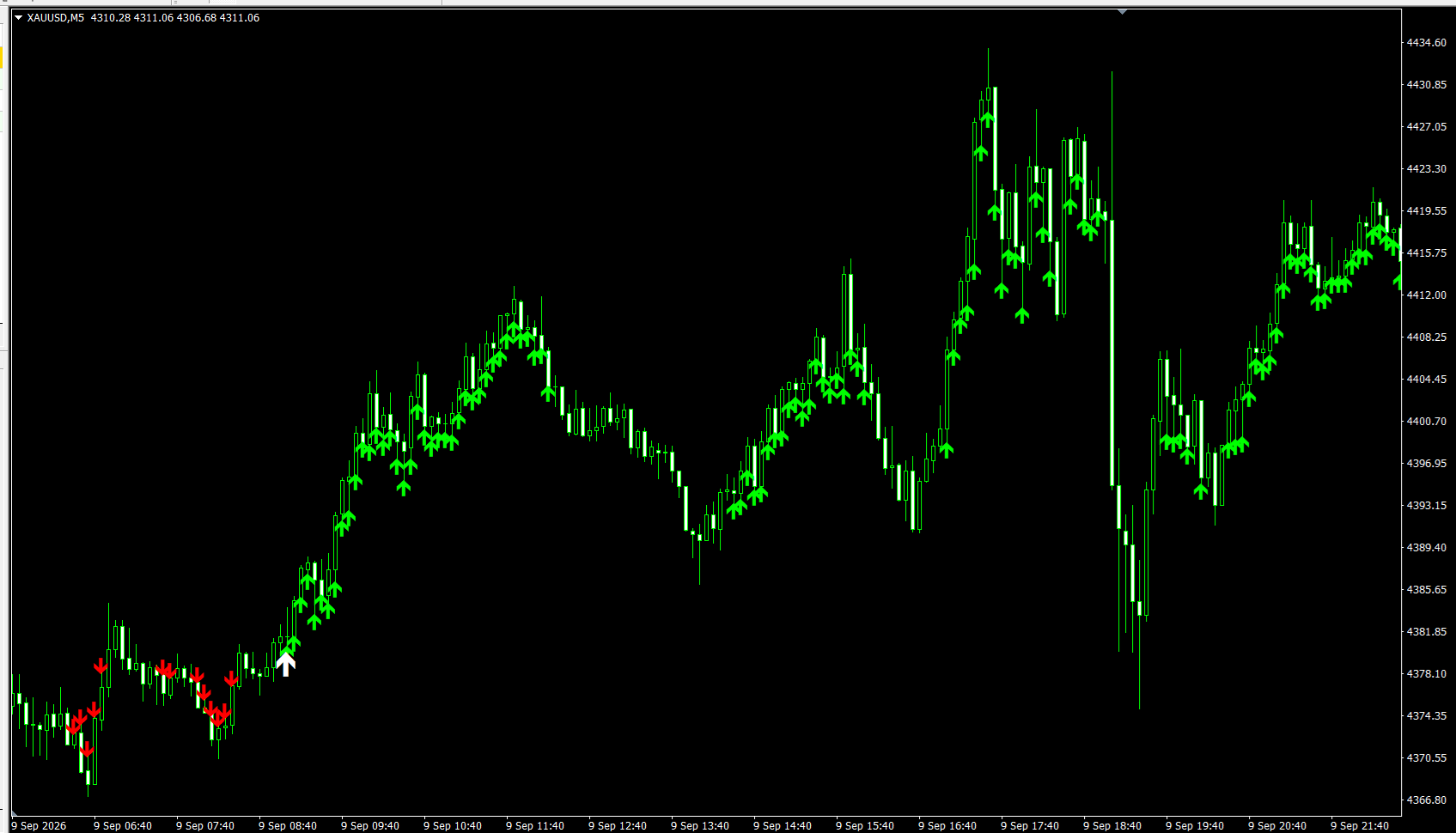
• Visual Flip Arrows: White upward arrows mark a change from the previous confirmed bearish direction to bullish; Pink downward arrows mark the opposite change.
• On-Chart Panel: Displays trend, momentum, confirmation, and flip information.
• Historical Display: Shows recent historical arrows, with a default display period of 30 days.
• Optional Desktop Alerts: Enable popup alerts through the indicator settings.
• Adjustable Settings: Configure moving-average periods, momentum settings, arrow spacing, and display options.
Redbaaz Flip — Market Analysis Tool for MT4 & MT5
Understand Market Direction with Visual Analysis
Redbaaz Flip is a custom desktop indicator that combines multi-timeframe trend analysis with momentum confirmation. It helps traders review market direction and identify changes through clear chart markers and an on-chart information panel.
Designed for manual market analysis, Redbaaz Flip works with separate versions for MetaTrader 4 and MetaTrader 5.
KEY FEATURES
Multi-Timeframe Trend Analysis
The indicator compares moving-average conditions across M1 and M15 to identify aligned bullish or bearish trends.
Momentum Confirmation
M15 momentum readings provide an additional filter alongside the trend conditions.
White & Pink Flip Arrows
White upward arrows highlight a change from the previous confirmed bearish direction to bullish. Pink downward arrows highlight a change from the previous confirmed bullish direction to bearish.
On-Chart Information Panel
Review trend conditions, moving-average differences, momentum readings, and the current confirmation state directly on your chart.
Historical Arrow Display
Review recent chart markings with an adjustable history period. The default display covers the last 30 days.
Customizable Settings
Adjust moving-average periods, momentum settings, arrow spacing, historical display, and optional desktop alerts.
HOW TO USE
Install the appropriate indicator version in your desktop MT4 or MT5 terminal.
Open your preferred symbol and ensure M1 and M15 history is available.
Attach Redbaaz Flip to the chart and review its settings.
Observe the panel and chart arrows alongside your own market analysis.
Make trading decisions using your own entry, exit, and risk-management rules.
PLATFORM & DEVICE REQUIREMENTS
• MT4 desktop: use the EX4 version.
• MT5 desktop: use the EX5 version.
• An active price feed and sufficient M1/M15 history are required.
• Direct installation in the Android or iPhone MT4/MT5 app is not supported.
• This is a digital indicator product; the packaging image is illustrative.
IMPORTANT INFORMATION
Redbaaz Flip is a market analysis tool. It does not automatically place trades, manage positions, or set stop losses and take profits.
Chart arrows can change while the relevant source-timeframe candles are forming. Historical markings may differ from what was visible in real time.
No indicator guarantees accurate predictions or profitable results. Trading involves risk, including loss of capital. Evaluate the tool on a demo account before including it in your trading workflow.
Common questions about this product, setup, usage, compatibility, and risk management.
Product screenshots and illustrative images uploaded from the admin panel. They do not guarantee future results.
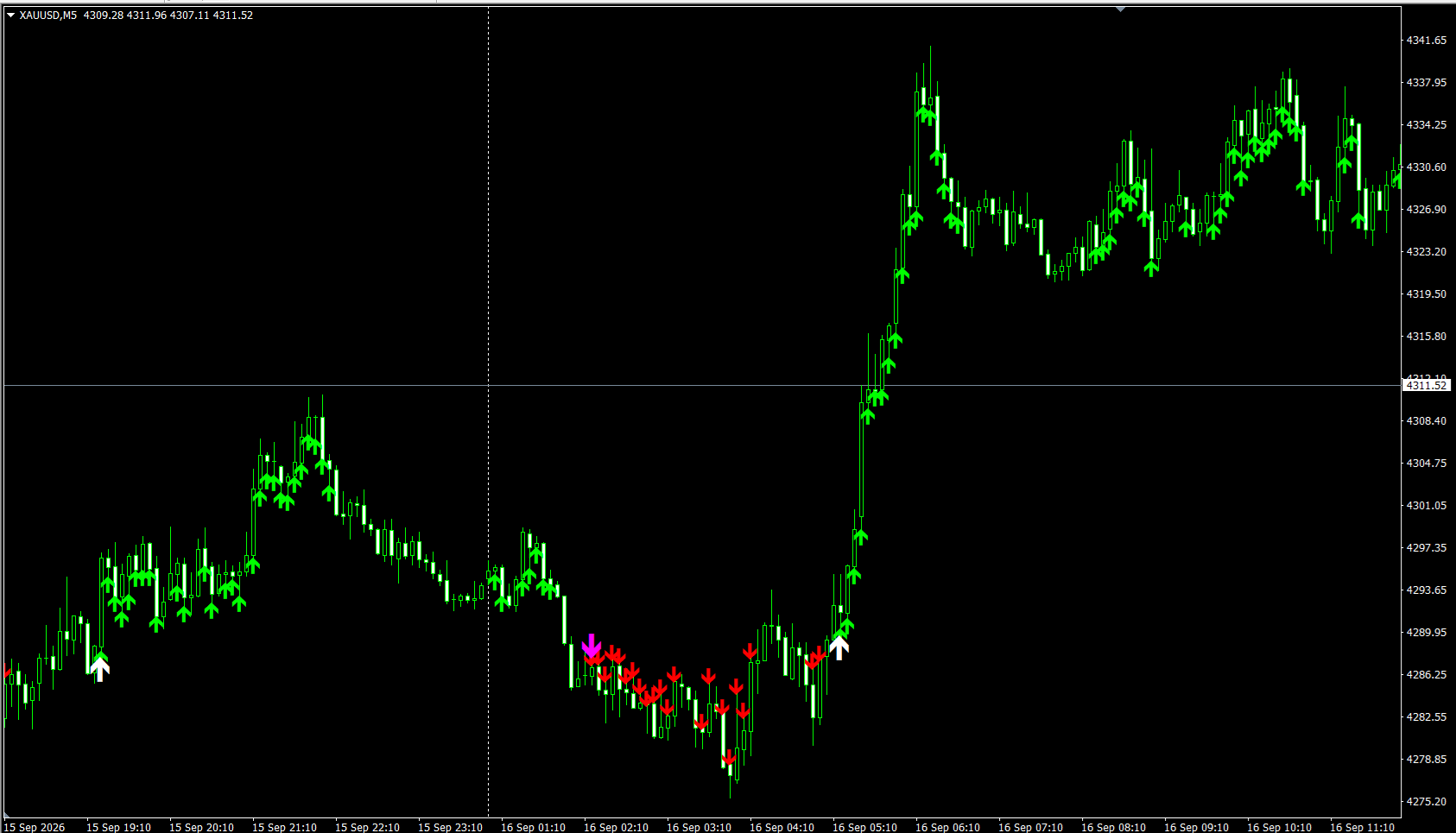
Client-submitted screenshots or community feedback uploaded from the admin panel. Individual experiences may vary.
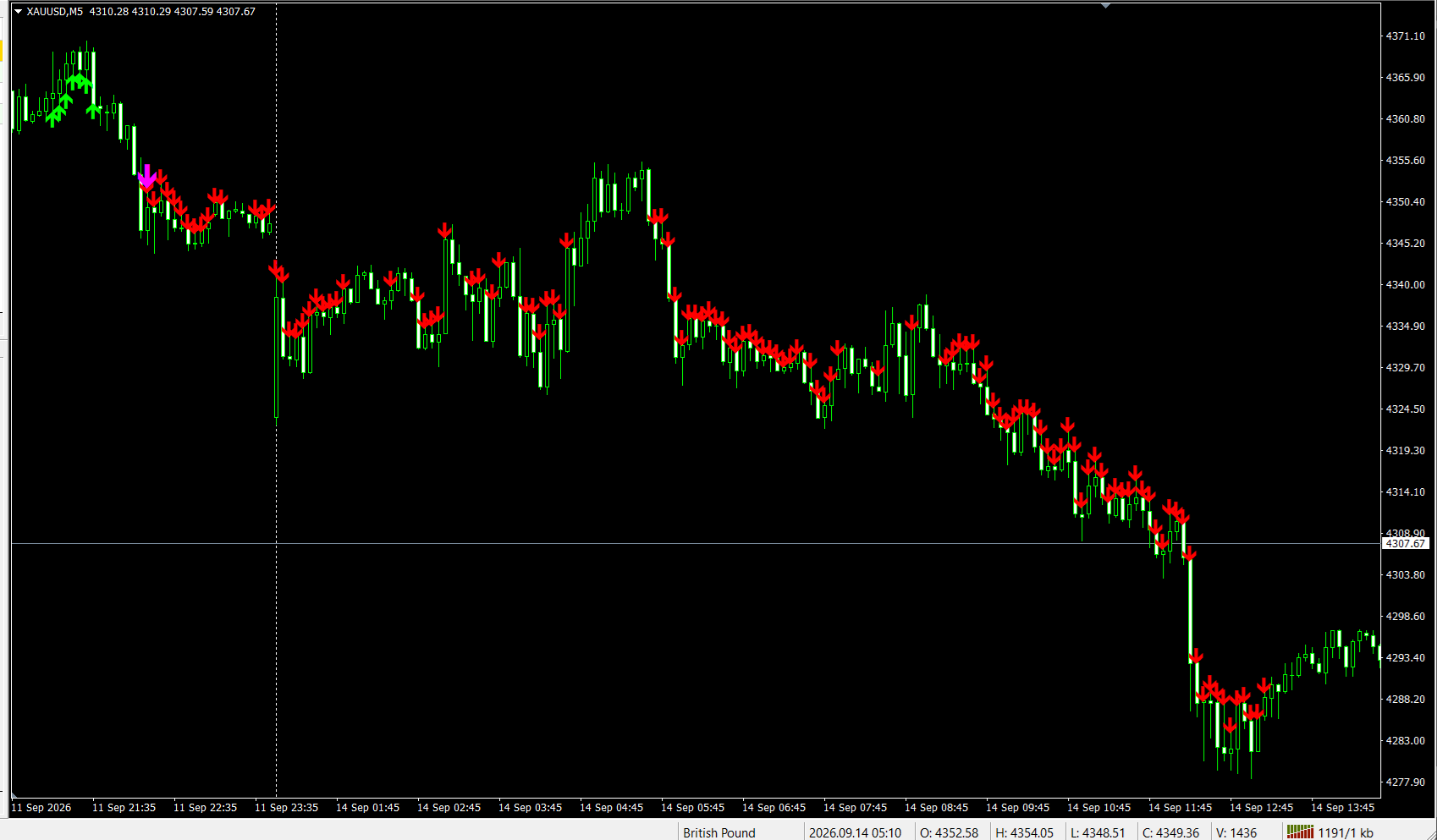
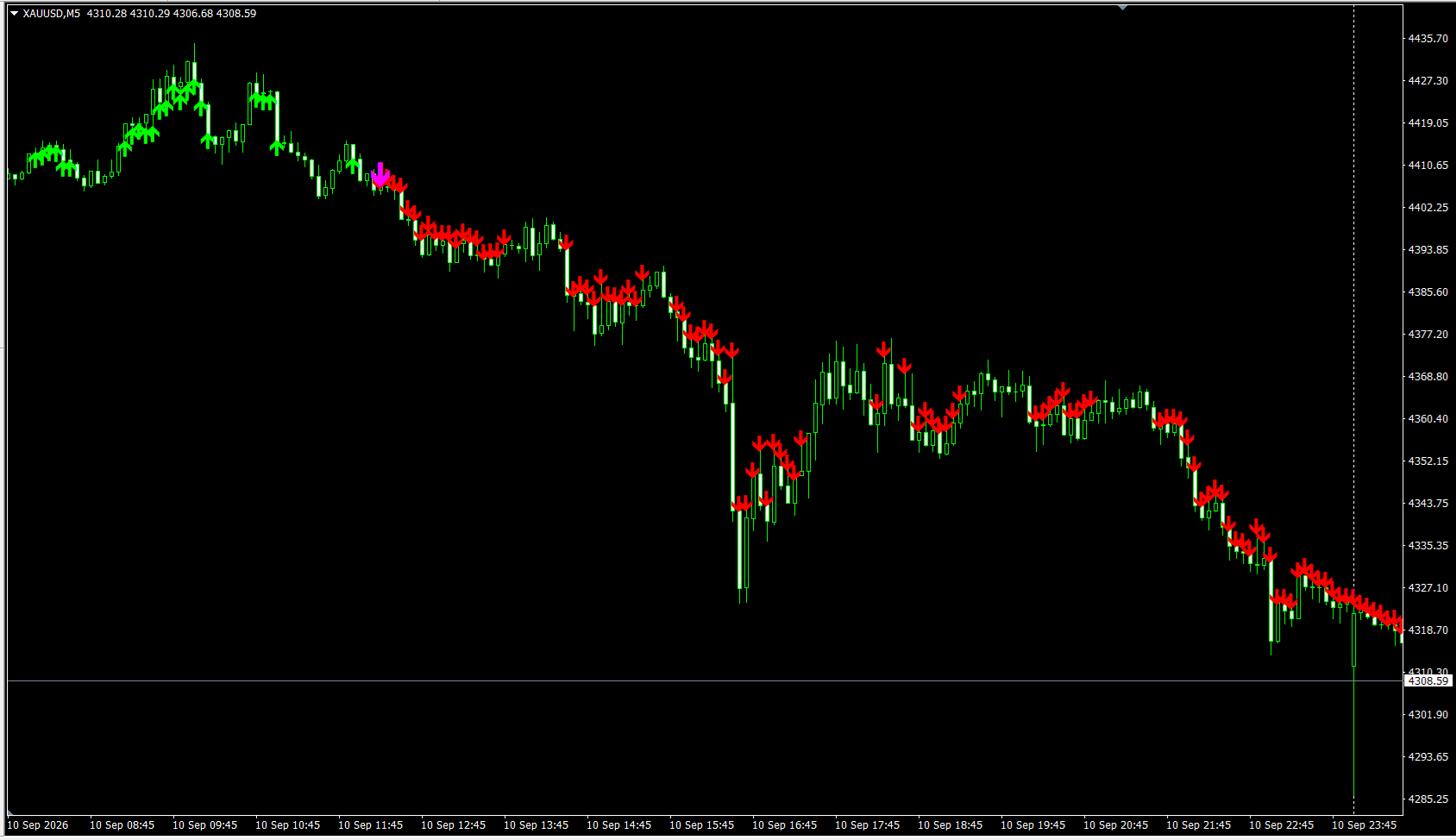
Setup guidance available. Test on demo first and use proper risk management.
Explore more ForexBaazar trading software, analysis tools, and educational products.